Best Walkie Talkies for Schools: 2026 Picks & Tips
Best Walkie Talkies for Schools
Build instant, campus-wide communication in minutes—our school-ready radio framework, real channel templates, and same-day expert support make nurse calls, drills, and dismissals faster, safer, and crystal clear.
The 60-second difference that changes school safety
Faster, safer, and crystal clear isn’t a slogan—it’s what the first minute feels like. Dismissal bell blares, sneakers squeak, buses rumble. A student crumples in the gym. The teacher presses one button: “Nurse to gym, student lightheaded.” The front office and security hear it at the same time, over the noise, no dialing, no hunting for contacts.
Now imagine the phone path. Unlock, scroll, pick a group, wait on rings, juggle texts with half the team on silent. Minutes blur while the gym air smells like rubber and worry. For allergic reactions, epinephrine is recommended within 5 minutes—radios compress response into that window instead of chasing it.
That’s the difference instant, one-to-many communication makes: one press, everyone who needs to act hears it. So why does this matter more now—bigger campuses, louder halls, fewer hands? In the next section, we’ll break down what’s changed and how to build the “good” timeline on your campus.
Why instant communication is non-negotiable on today’s campuses
You asked why this matters more now—because campuses grew fast. Many schools added portables, STEM wings, and satellite gyms, turning one building into four. Daily life spills outdoors: arrival lines, fields, parking lots, bus loops. After-hours events stack up—games, concerts, community meetings—so radios must cover evenings too. Visitor volume rose with tutoring, vendors, and deliveries. And compliance tightened: more safety drills each semester, faster accountability. Parents now expect real-time updates, not phone trees. That’s a lot to coordinate, every single day.
Now layer in the building itself: concrete, steel, low ceilings, and loud HVAC (heating and cooling) swallow weak signals. Hallways flood with 900 students between bells. Phones stumble here—unlock screens, find groups, and hope for bars. Group texts lag. Calls don’t reach everyone you need. Privacy also matters: you can’t broadcast student health or discipline on open apps. Meanwhile staffing is tighter, so every extra step costs minutes. Radios last 5–7 years, batteries swap in seconds, and total cost stays lower when you choose right.
In 15+ years outfitting schools and facilities teams across the U.S., we see the same pattern: coverage first, simple push-to-talk for teachers, priority access for admin/security, and a clean channel plan. When those four pieces lock in, response times drop and chaos fades—even on complex, multi-building campuses.
So if campuses got bigger, louder, and faster, why are we still relying on phones built for one-to-one chats? Under stress, they add steps and delays. You need a tool designed for instant, coordinated response. Let’s compare.
Why phones fail when seconds matter
Here’s a quick side-by-side that shows where phones stumble and where school-ready radios shine when the clock is ticking.
| Criterion | Two-way radios | Cell phones | Why it matters for schools |
|---|---|---|---|
| Message reach | One-to-many broadcast with instant push-to-talk | One-to-one calls or delayed group texts | Everyone hears at once; nearest adult responds first |
| Reliability | Operates without cell carrier or Wi‑Fi | Dependent on carrier coverage, bars, and apps | Keeps working in basements, gyms, stadiums, fields |
| Simplicity | Single push-to-talk, glove-friendly | Unlock, open app, find contacts, tap through menus | Fewer steps under stress means fewer mistakes |
| Durability | Ruggedized housings, IP water/dust ratings | Consumer devices are fragile and slippery | Survives drops, rain, gym floors, and student traffic |
| Battery/runtime | Shift-length batteries; hot-swappable spares | Mixed battery health; tethered to chargers | All-day use without outlets or power anxiety |
| Privacy/compliance | Closed channels, privacy codes, optional encryption | BYOD (bring your own device) risks data leaks and apps | Safer handling of student information and incident details |
Phones aren’t “bad”—they’re built for personal conversations and apps. Coordinated response demands one-to-many audio, rugged hardware, and independence from carriers. Radios remove steps, reach everyone at once, and keep working where phones hesitate. That’s why seconds shrink and outcomes improve.
Common school scenarios that expose the gap
Here are the everyday moments where phone coordination slows down—and the exact spots where radios keep things moving.
- Front Office: Last-minute dismissal change needs teachers, bus, and gate to hear it together—one call, not five apps.
- Nurse: Fainting in the hallway—nearest trained adult needs the alert in seconds, not after rings or read receipts.
- Custodial: Chemical spill by Room 112—post cones, reroute traffic, and dispatch mop crew instantly across floors.
- Security: Ajar door on the science wing—nearest staff checks, admin monitors, and entry is secured without a phone chain.
- Athletics: Track meet with PA (public address) noise—coaches, trainers, and office hear substitutions and medical calls over distance.
- Transportation: Route 17 is late—yard, front office, and duty staff adjust dismissal flow without running shoes.
- Admin: Lightning within 10 miles—issue All-Call, move teams indoors, and confirm headcounts across buildings in minutes.
Each scenario points to the same recipe: instant broadcast, role-based channels, and campus-wide coverage with priority access. Next, we’ll spell out the must-have attributes of a school-ready radio system.
What makes a school-ready two-way radio
That recipe becomes real when the radios match your campus. Start with UHF (ultra high frequency) for buildings; it punches through concrete and metal better than VHF (very high frequency). Choose digital mode for clearer audio, longer effective range, and privacy options; analog is fine for small, quiet sites and tight budgets. We program channels by role so teachers keep it simple and admin hear more. You press one PTT (push-to-talk) and the right people answer. No app juggling.
Now cover the day-to-day chaos. Multi-channel fleets with scan lists (predefined who-hears-what groups) reduce chatter but let office and security monitor campus-wide. Priority All-Call and emergency interrupt let principals cut through any channel in seconds. Pick radios with real-world durability: MIL-STD (military drop/shock tests) and IP (ingress protection) ratings for dust and rain. Go for loud speakers and noise-canceling mics in gyms. Expect 10–14 hours per battery and use 6- or 12-bay chargers to keep teams ready.
Use this quick checklist to score any model now; in the next section, we’ll turn it into a five-minute selection framework.
- UHF-first: Better penetration through walls and metal structures.
- Digital audio: Clearer speech and better range vs. analog in noisy areas.
- Multi-channel: Separate admin, security, custodial, and events without crosstalk.
- Emergency override: Priority or all-call for critical alerts.
- Rugged + IP rating: Survives drops, rain, and daily wear.
- Shift-long batteries: 10–14 hours with rapid or multi-unit charging.
- Accessory support: Earpieces, speaker mics, high-noise headsets, discreet options.
- Simple PTT UX: Minimal buttons, glove-friendly, fast to train.
Choose in 5 minutes: the school radio selection framework
You just scored the checklist; now pick in minutes. Choose your campus type and we’ll map band, power, channels, and extras—e.g., small K–5: UHF handhelds, 4–8 channels, chargers and earpieces.
| School environment | Best band | Power/output | Channels | Recommended extras |
|---|---|---|---|---|
| Small K–5, single building | UHF (ultra high frequency, better indoors) | 2–4 W (watts) handheld | 4–8: Admin, Ops, All‑Call (broadcast to all) | Multi-unit chargers, earpieces |
| Large middle/high school | UHF (ultra high frequency) | 4–5 W (watts) handheld | 8–16: Grade, Security, Ops, All‑Call | Speaker mics, spare batteries |
| Multi-building campus | UHF (ultra high frequency; consider repeater) | 4–5 W (watts) handheld | 8–16 with All‑Call priority | Repeater-ready models, outdoor antennas |
| District admin/transport | UHF mobile + handheld | 25–45 W (watts) mobile + 4–5 W handheld | 8–16; district, buses, All‑Call | Base stations, vehicle mounts |
| Athletics/events | UHF (ultra high frequency) | 2–4 W (watts) handheld | Event channel + emergency All‑Call | High-noise headsets, spare chargers |
In wide-open rural layouts, VHF (very high frequency) can reach farther outdoors, but UHF (ultra high frequency) dominates in buildings. Digital delivers clearer audio, privacy/encryption, and capacity. Next, we’ll shape your channel plan and emergency overrides.
Design your channel plan and emergency override
You chose band and mode; now we’ll lock channels and emergency behavior—then, if coverage still has holes, we’ll extend it with a repeater.
Step 1: Assign role channels: Admin, Security, Operations/Custodial, Events/Athletics. Example: Ch1 Admin, Ch2 Security, Ch3 Ops, Ch4 Events.
Step 2: Set a single Emergency channel with All-Call (everyone hears) and priority interrupt for principals/office. Keep it Channel 9 or last slot consistently.
Step 3: Enable scan lists so each radio hears its role channel plus Emergency. Use priority scan so Emergency cuts through immediately.
Step 4: Program identical channel order on every unit. Example: 1 Admin, 2 Security, 3 Ops, 4 Events, 9 Emergency. One map, fewer errors.
Step 5: Test during class changes, lunch, arrival, and dismissal. Run 60‑second drills; confirm Emergency overrides from gym, basement, portables, and parking lot.
Step 6: Document etiquette and escalation: plain language, short calls, no student names; define who All-Calls, who interrupts, when to switch to Emergency.
Label each radio with role and channel map (e.g., 1 Admin, 2 Security, 3 Ops, 9 Emergency). Include a laminated quick-reference card on etiquette and emergency steps for substitutes, coaches, and event volunteers.
Extend coverage with a school-ready repeater
You labeled every radio and standardized the channel map; if a few spots still go silent—basements, stadium corners, far portables—you’re ready for a repeater. A repeater is a fixed, high-power radio with an elevated antenna that hears your handhelds and re-transmits them campus-wide. That extra power and height punch through concrete and span fields. Typical triggers: multi-building layouts, off-site fields, long hallways, known dead zones. Repeaters use licensed business frequencies; we handle FCC (Federal Communications Commission) paperwork and programming.
We start with a quick walk test: two staff map weak spots with radios. Then we spec band and placement. UHF (ultra high frequency) excels in buildings; VHF (very high frequency) helps on fields and stadiums. Mount the antenna on a roof, central stairwell, or press box, and add surge protection for reliability. Installation is quick—often under a day—and we can ship core units same day, preprogrammed. With coverage locked, your channel plan shines; next, we’ll match handhelds to each role.
Use our catalog to Explore radio repeaters—a simple starting point to compare models for your campus.
Start with handhelds: your core school fleet
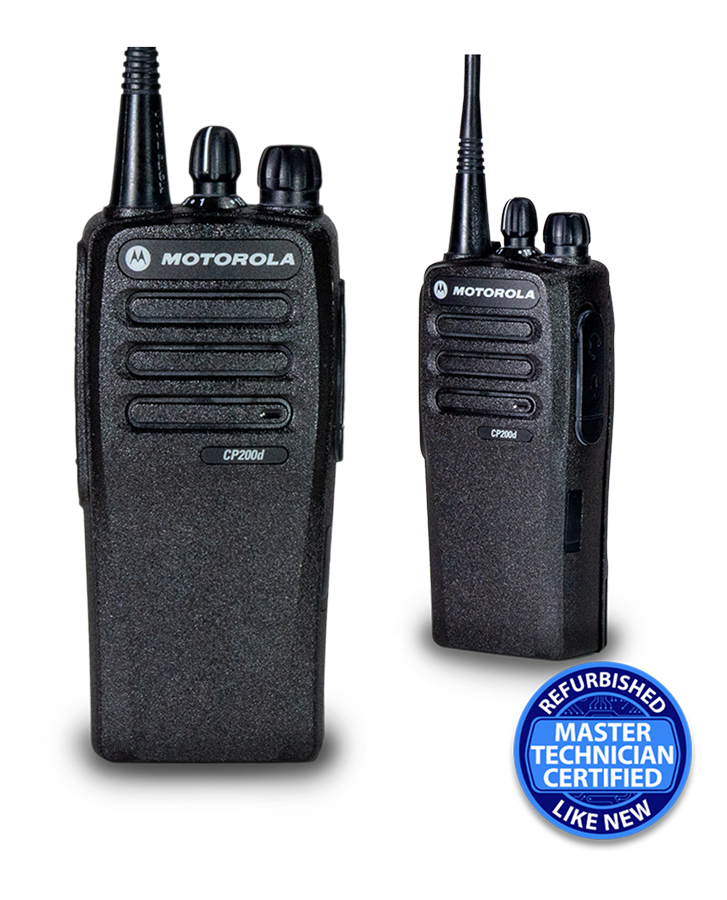
You locked in coverage with a repeater or walk-test; now which handhelds become your daily workhorses? We recommend UHF (ultra high frequency) for buildings, a clean channel count that mirrors your plan, solid IP (ingress protection) ratings, and a battery ecosystem (10–14 hour packs, 6- or 12-bay chargers). Make sure accessories fit—earpieces, speaker mics, high-noise headsets—and lean on proven education families from Motorola and RCA.
Start your shortlist here: Browse handheld radios (filtered list view)—the filter is just one way to start narrowing options.
Prefer a visual grid? Quick-scan handheld options
If that list view works, great—but you might choose faster by scanning images and spec tiles. Use the grid to spot channel counts, IP (ingress protection) ratings, audio output, and battery life at a glance.
Prefer tiles? See handheld radios (grid view) — the same lineup in a different layout, so you can compare channel counts, IP ratings, and battery specs at a glance.
Add mobile/base radios for offices, vehicles, and gates
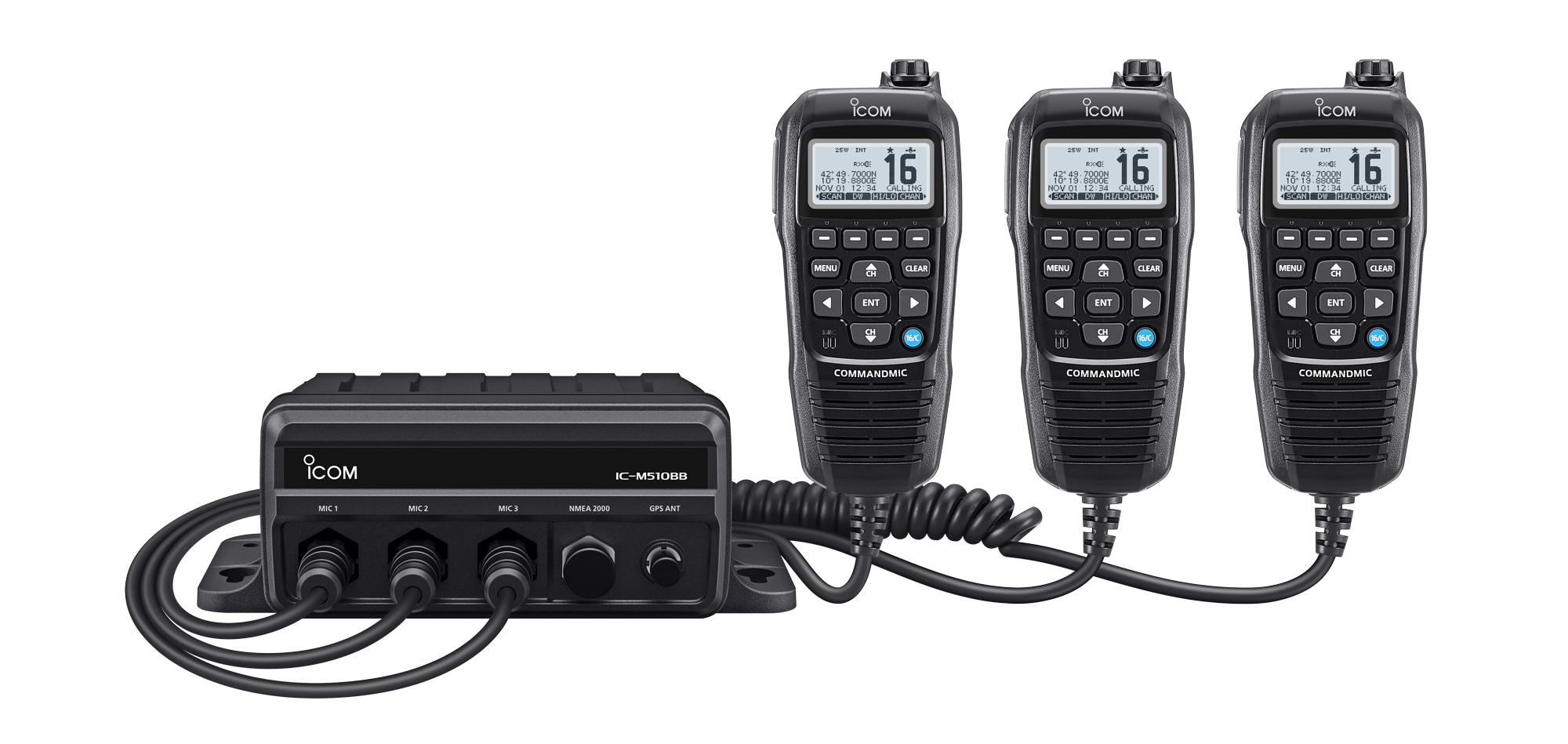
After you’ve compared handhelds in the grid, round out your system with mobile/base radios. Front office base stations stay powered all day with desk-mount kits (power supply and desktop mic) and loud audio. Mobiles push higher output power—25–45 watts vs. 4–5 on handhelds—so gatehouses, golf carts, maintenance trucks, and bus loops hear and talk clearly. Result: principal All-Call from the office reaches the far lot, and drivers coordinate arrivals without juggling phones.
Want a quick shortlist? Explore mobile radios (filtered view) — it’s a starter subset to compare, and we’ll help you fine-tune power, mounts, and base kits for your campus.
Maintenance and custodial teams: choose rugged, high-durability sets
While we fine-tune power, mounts, and base kits for offices and vehicles, your facilities crew needs gear for messier work. Think ladder drops onto concrete, bleach and sanitizer splashes, dust from custodial closets, and mower or floor machine noise. Warehouse-class radios with higher IP ratings (ingress protection against dust and water) shrug this off, and a shoulder-worn speaker mic keeps the radio on the belt so gloves stay on and audio stays loud. Next, we’ll bundle accessories so your team stays hands-free all day.
See rugged, facilities-ready radios — these warehouse-grade models map directly to school maintenance needs.
Accessories that multiply safety and clarity
Those warehouse‑grade radios are set; now let’s equip every role with add‑ons that boost clarity, comfort, and safety. These are the must‑haves schools adopt first.
- Speaker mics: Hands-free clarity in noise; clips to shirt for loud, quick push-to-talk.
- Acoustic earpieces: Discreet for offices and parent meetings; keeps student details private.
- High-noise headsets: Clear calls in gyms, stadiums, and shop classes; protects hearing.
- Multi-unit chargers: Keep fleets ready; reduce outlet clutter and manage charging stations centrally.
- Spare batteries: Keep 20–30% spares; prevent downtime during events and field trips.
- Carry cases/clips: Reduce drops; standardize carry with belt clips and holsters.
- Programming cables: Make in-house tweaks after setup; update channels and privacy codes fast.
Licensing and compliance: choose the right service
You’re updating channels and privacy codes—do you need a license, and which service? Licensed business LMR (land mobile radio) bands deliver cleaner coverage across multi-building campuses and fields. We’ll translate options and handle FCC (Federal Communications Commission) paperwork so you stay compliant.
| Band/Service | License needed? | Typical school use | Pros | Cons |
|---|---|---|---|---|
| FRS (Family Radio Service) | No license required | Small teams, short range, quick temporary use | No license cost; simple; off-the-shelf radios | Low power; crowded public channels; limited privacy |
| GMRS (General Mobile Radio Service) | Yes—individual license, not organization | PTO/booster clubs, volunteer events, temporary staff | Higher power than FRS; repeater capable | License tied to a person; shared channels |
| MURS (Multi-Use Radio Service) | No license required | Niche/simple setups; small campuses; outdoor spots | License-free; decent range outdoors; VHF friendly | Only 5 channels; interference risk; limited features |
| UHF/VHF (ultra/very high frequency) Part 90 LMR | Yes—FCC (Federal Communications Commission) license | Most schools/districts; daily ops and emergencies | Dedicated frequencies; reliable coverage; scalable; privacy/encryption | Requires licensing and coordination; modest fees |
Not sure which path fits your campus? Talk to our school radio specialist—we’ll confirm the right service, file FCC paperwork, coordinate frequencies, and ship preprogrammed radios ready for day one.
Roll out in 30/60/90 days
We’ll handle licensing and ship preprogrammed radios; here’s your 30/60/90 plan to go live smoothly without extra meetings or guesswork.
- Days 1–30: Finalize channel map, submit FCC (license) details, order radios/accessories, approve programming, and pilot 6–12 units in one wing; gather coverage notes during arrival, lunch, and dismissal.
- Days 31–60: Train staff in 15-minute sessions, distribute etiquette cards, standardize labels, test coverage, and adjust antenna/repeater placement; install base/mobiles and set charging stations in offices.
- Days 61–90: Run fire/lockdown drills using All‑Call, refine channels, finalize SOPs (standard operating procedures), set battery rotation/spares, document programming, and schedule quarterly checks with your radio lead.
Label every radio and charger, record serials in an asset sheet/app, and run quarterly health checks: swap weak batteries, replace bent antennas, and clean contacts to keep audio crisp.
What schools report after switching
You labeled radios and set quarterly checks—this is where results show. Within 90 days, schools like yours saw faster response and smoother dismissal. Three snapshots.
- Urban high school: Nurse-call response dropped from about 4 minutes to under 2; repeat pages fell by half during peak passing periods.
- Suburban K–8: Dismissal changes reached all staff in seconds; car line lost time fell roughly 30%, and buses cleared the loop 10–12 minutes faster on rainy days.
- Multi-building campus: After adding one UHF (ultra high frequency) repeater and roof antenna, gym-wing dead zones disappeared; maintenance tickets closed about 20% faster thanks to fewer missed calls.
School radio FAQs
Dead zones gone and response faster—now you probably have last questions before you buy. Here are concise, practical answers for busy school leads.
- Do we need a license?: Most campuses run best on licensed LMR (land mobile radio) using UHF (ultra high frequency) or VHF (very high frequency). License‑free options exist, but range, privacy, and interference trade‑offs are real. We’ll handle paperwork.
- UHF or VHF for schools?: UHF (ultra high frequency) wins inside concrete, metal, and crowded halls. Consider VHF (very high frequency) only for wide‑open rural fields. We’ll walk‑test both if you’re on the fence.
- Analog or digital?: Digital delivers clearer audio, longer effective range, and features like All‑Call (broadcast to all radios) and emergency interrupt. Analog can work for small, quiet sites or tight budgets, and we can upgrade later.
- How many channels do we need?: Plan Admin, Security, Operations, Events, Bus—and one Emergency/All‑Call. Most schools land at 8–16 channels so growth is easy. Example: 1–4 roles, 5 Bus, 9 Emergency, rest for future.
- How far will they reach?: Range depends on walls, metal, and terrain. We test arrival‑to‑gym, basement‑to‑office, and field‑to‑nurse routes. If dead zones persist, add a repeater (fixed booster with elevated antenna) to blanket the campus.
- What about privacy?: Use licensed channels with unique programming, plus digital privacy or encryption where available. Keep student names off general channels; reserve sensitive details for admin/nurse/security talk‑groups.
- Battery life?: Choose shift‑long packs (10–14 hours) and multi‑unit chargers. Keep 20–30% spares for events and field trips, label batteries, and rotate weekly to extend lifespan.
- Training needed?: A 10–15 minute orientation covers push‑to‑talk, channel map, and Emergency/All‑Call. Hand out etiquette cards and run a 60‑second drill during passing period.
- Can we mix brands/models?: Often yes—match band (UHF/VHF), mode (analog or DMR digital mobile radio), and programming. We routinely interoperate Motorola and RCA fleets; we’ll confirm compatibility before you buy.
- Maintenance and warranty?: Schedule quarterly checks for antennas, chargers, and batteries; keep labeled spares on hand. Our products include a 90‑day warranty and free repair shipping, plus fast turnaround if a unit fails.
Talk to a school radio specialist
You just read about our 90‑day warranty and free repair shipping—now let’s put it to work on your campus. Book a free 10‑minute coverage check and get a tailored radio plan, programmed to your channel map. We stock Motorola and RCA, ship same day on core models, and support you after rollout.
Prefer a quick call or email? No pressure—tell us your buildings and roles, and we’ll handle licensing paperwork, frequency coordination, and programming. We’ll send a fast quote or set a 5‑minute call when it works for you.
No Comments