Two-Way Radios for Event Coordinators – Instant Team Comms
On This Page
Two-Way Radios for Event Coordinators
When Seconds Slip, Events Spiral—Radios Keep You Calm and Coordinated
You’re at Gate 2 when the VIP motorcade arrives 12 minutes early. Admissions is swamped, Security is stretched, and your phone group chat starts blinking… but no one picks up. Texts stack. Voicemail pings. Meanwhile, with PTT (push-to-talk), one press: ‘Security to Operations: reroute to East Entrance, escort ready.’ Everyone hears it, instantly. We see this exact moment every week—and it’s where radios save the show.
Clouds roll in. Lightning delay hits two minutes before showtime, and the stage manager needs a hard stop now. On phones, apps lag, ring tones fight the music, and half the team is staring at spinning wheels. On radios, one broadcast: ‘All teams, weather hold. Pause gates. Secure stage.’ Done in five seconds. We’ve spent 15+ years helping crews make calls this fast. Ready to see why radios beat phones on event day?
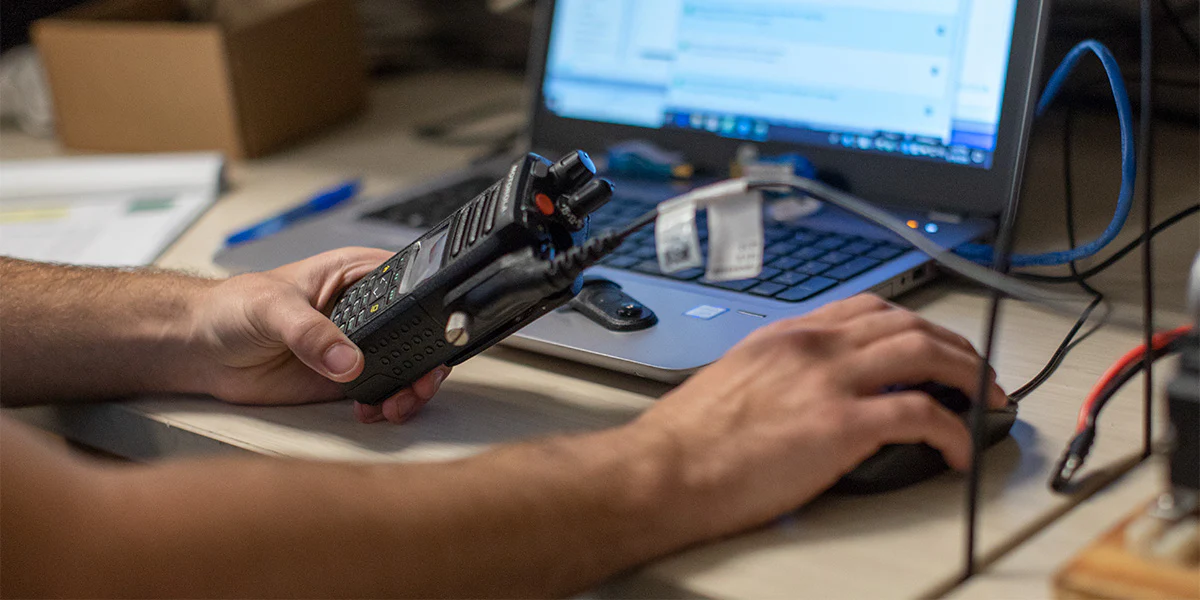
Reliable radios turn chaos into choreography—the quiet lever that keeps guests happy and your command post calm.
Why Radios Win When Phones Freeze on Event Day
If calm is the goal, radios turn chaos into choreography because they cut lag, blast groups at once, and keep working when networks buckle. With PTT (push-to-talk), one press reaches Ops (Operations), Security, and Admissions—no ringing, no app load. Big buttons work with gloves. Speaker grills are loud over crowd noise. Batteries last 10–14 hours, and we hot-swap spares. And unlike phones, radios don’t depend on venue Wi‑Fi (wireless internet) or LTE (cell data); your team controls coverage.
Real-world, this shows up everywhere. Catering calls a 20-top to kitchen through stainless walls—UHF (ultra high frequency) digital stays clear. AV (audio/visual) cues a light bump during applause—an in-ear earpiece carries it cleanly. Security at Gate C hears a scuffle and double-taps emergency; command replies instantly. Valet in the rain keeps both hands on the wheel using a shoulder mic. Facilities checks a tripped breaker in the basement and still hears Ops. Phones miss these moments. Radios don’t.
So when the crowd surges and seconds matter, radios give you five decisive advantages phones can’t match. Keep these in mind as your buying criteria and training checklist.
- Instant group broadcast without call setup
- Reliable in dead zones; not dependent on venue Wi‑Fi or LTE
- Simple push-to-talk under stress and with gloves
- Long battery life designed for full-shift operation
- Accessory ecosystem (earpieces/mics) for discrete, hands-free use
What Actually Derails Event Communications When Pressure Spikes?
At a winery wedding, the DJ’s speakers drown the planner’s phone call; the photographer never gets the first-look pivot. On radios, crosstalk (two people talking at once) blocks key details when channels aren’t labeled. A bridesmaid radio dies before toasts because there’s no spare battery plan. The caterer borrowed consumer walkies that can’t talk to the venue’s digital gear. And no one taught etiquette, so transmissions ramble: “Uh, hey guys, where are we at?” That’s how small misses cascade into timeline slips.
At a convention center, concrete and Wi‑Fi noise eat phone calls; panel changes don’t reach floor managers in time. Single-channel chatter buries an AV page; a mic swap is late. At street festivals, a gate surge masks un-amped phone audio; Security doesn’t hear a reroute. A dead battery strands Parking away from Ops, and vendors end up using personal apps. The result isn’t drama—it’s friction: late cues, longer lines, confused staff, and a command post stuck chasing problems instead of steering.
We see the same traps at weddings, conferences, and festivals. Label them up front and you’ll avoid half your headaches. Watch for these, and plan around them:
- Dead zones: venue construction and coverage gaps causing missed calls.
- Noise masking: loud music or cheering hides cues without earpieces.
- Channel chaos: unlabeled or overlapping channels cause confusion and delays.
- Battery drain: long shifts plus accessories drain batteries before peak.
- Mixed gear: incompatible analog/digital mixes isolate teams.
- No etiquette: long, unclear transmissions clog air and force repeats.
Why Band-Aid Fixes Collapse Under Pressure
Group texts feel easy—until the crowd arrives. Phones queue messages, apps spin, and you wait 5–12 seconds for replies. Consumer walkies (FRS, Family Radio Service) share public channels, so strangers step on your traffic. Running everyone on one channel sounds simple, but talk-over means nothing lands. Last-minute rentals often mix analog with digital (DMR, Digital Mobile Radio), so half your team can’t hear the other half. And low IP (ingress protection) ratings mean rain or sweat kills cheap gear right when you need it.
Pressure exposes every weakness. At gates, three admissions staff transmit back-to-back and clip each other; the VIP (very important person) reroute arrives late. During a stage flip, an AV cue is buried under vendor chatter because there’s no dedicated channel. When thunder rolls, phones crowd the network; alerts lag just as you call a weather hold. With bargain radios, the battery meter lies—accessories drain faster, so units die pre-encore. None of this is about heroics. It’s mechanics. Remove the failure modes, and your comms simply work.
During peak minutes, four mechanics cause most breakdowns. Rank them, address them directly, and 80% of your chaos disappears. Here’s what bites teams first under load:
- Latency: seconds lost waiting for phones/apps to connect.
- Interference: crowded airwaves and consumer radios stepping on each other.
- Single-channel overload: all teams shouting over one channel.
- Durability gaps: rain/sweat/impact kill consumer gear mid-event.
Good news: a simple roles–channels–gear framework eliminates these issues within a week and scales from weddings to festivals without adding complexity.
Roles, Channels, Gear: The Practical Event Framework
Start with roles-based channels: Ops, Security, Admissions, AV, Medical, Parking, plus an emergency channel. Pre-program radios so each role defaults to its home channel and can scan Ops as needed. Choose fit-for-purpose radios by duty and environment: IP rating (ingress protection against water/dust), battery capacity, and audio output matter more than brand names. Add the right accessories by role for discretion and noise control. Then label everything—radios, chargers, channels—and run a 15‑minute comms drill. You’ll hear gaps immediately and fix them before doors open.
Clarity comes from structure, not volume. Discrete earpieces keep guest areas polished, while noise-canceling speaker mics let Security communicate in crowds. Supervisors carry chest harnesses and spare batteries; volunteers get belt clips and simple channel cards. Implementation rhythm is straightforward: unbox and label on Day 5, walk-test key zones on Day 4, finalize channel policy on Day 3, train on Day 2, and stage spares on Day 1. On event day, do hourly radio checks and one planned battery swap. Small habits, big calm.
Use this quick role-to-gear matrix as your template. Mirror it, adjust to your venue, and you’ll cover 90% of scenarios without overthinking.
| Team / Role | Channel Plan | Radio Type | Accessory | Coverage Notes |
|---|---|---|---|---|
| Catering & Floor | Shared Ops channel + 1 backup | Compact digital/DMR handheld | Discreet earpiece or surveillance kit | Indoors with kitchen steel; prioritize clarity over max range |
| Security & Crowd | Dedicated Security channel + Priority override | Rugged waterproof handheld | Noise-cancel speaker mic + earpiece | Entrances need reliable indoor/outdoor coverage |
| Stage/AV | Dedicated AV + Listen to Ops | Digital/DMR with group + private call | In-ear monitor style earpiece | High ambient noise; fast cueing |
| Parking/Valet/Transport | Parking channel + Ops scan | Durable handheld with glove-friendly PTT | Shoulder mic for hands-free | Outdoor exposure; gear should be rain-safe |
| Facilities/Housekeeping | Facilities channel + Ops scan | DMR handheld; repeater-friendly | Earpiece for discretion | Basements and mechanical rooms; watch dead zones |
This matrix narrows hardware and accessory choices fast. Next, we’ll map it to Good/Better/Best radios and bundles for indoor expos, outdoor festivals, and route events—and confirm coverage options if your footprint needs a base or temporary repeater.
Event-Ready Radios: Our Vetted Picks
You’ve got the roles-to-gear matrix—now let’s map it to proven RCA hardware. We recommend RCA two-way radios for event teams because they balance rugged build, clear audio, and price. The ecosystem—surveillance earpieces, speaker mics, gang chargers—works across models, so spares and accessories swap cleanly. Fewer SKUs (stock-keeping units), faster deployment, lower risk.
Our workhorse is the RDR4250 Waterproof Two-Way Handheld Radio, an IP67-rated (water/dust protection) unit with punchy, clean audio. It’s what we hand to Security at gates and Parking in the rain. Big, glove-friendly PTT (push-to-talk) and loud speaker output keep messages landing. When durability matters, this is the safer bet.
Need compact without sacrificing toughness? The RDR4220 waterproof two-way radio stays IP67-tight yet lighter on the belt, perfect for Catering and Floor teams weaving through guests. Pair it with a surveillance earpiece for discreet cues and a low profile. Clear voice, simple controls, and easy battery swaps keep service running during long sets and dinner rushes.
On a tighter budget, the Two-Way DMR digital radio RDR2500 (DMR means Digital Mobile Radio) delivers digital clarity with up to 256 channels, 12+ hours of battery life, and friendly ergonomics. It’s great for Admissions, Volunteers, and training new staff—simple to learn, solid indoors. Keep one spare battery per unit and you’ll cruise through double shifts.
Not sure which fits your venue? Use this quick chooser, then we’ll show real deployments and a simple 7‑day rollout.
- Choose RDR4250 when: Outdoor exposure, night Security, and transport ops demand rugged IP67, loud audio, and glove-friendly PTT across mixed indoor–outdoor gates.
- Choose RDR4220 when: You need compact agility for Catering/Floor, discreet surveillance earpieces, and quick battery swaps while weaving through guests and tight back-of-house spaces.
- Choose RDR2500 when: Budget matters, you’re training new staff, or coverage is mostly indoors; plenty of channels, simple controls, and solid all-shift battery life.
Wedding and 5K: See the Setup in Action
You picked your radios—RDR4250 for heavy-use Security, RDR4220 for agile floor teams, and RDR2500 for budget roles—so what does that look like on-site? 300‑guest hotel wedding: we program five channels—Ops (Operations), AV (audio/visual), Catering, Security, and a quiet Emergency. Catering and Floor wear discreet surveillance earpieces; Security runs shoulder mics at entrances. Front Desk and Banquets monitor Ops and can hail Engineering for a breaker or HVAC tweak. Ceremony flip? Ops calls the swap, AV cues music, Catering releases pours—no cross-talk. If hotels are your world, see our two-way radios for hotels and resorts guidance for layouts that play nicely with back-of-house.
Community 5K + vendor fair: Ops runs the net; Security covers course marshals; Parking controls shuttle and lot flow. New volunteers? We do a 15-minute onboarding—press, pause, talk; role-first call; confirm. When clouds build, Weather rolls to channel 4; Ops broadcasts the delay and Parking staggers release. Medical stays clear on its own channel and can be patched to Ops. Battery plan: one spare per radio, first swap at hour three, then on the hour. Quick, calm, predictable. Next, we’ll turn this into a 7‑day rollout you can copy.
Deploy Event Radios in 7 Days
As promised, here’s the 7‑day plan you can copy—site survey to post‑event review, an owner per step and quick checks so nothing slips. Next: accessories and settings that boost clarity.
Step 1: Site survey — Walk command, gates, stages, medical with two radios. Use a test phrase, mark dead spots and loud zones, note wireless access points near staging.
Step 2: Channel plan — Assign Ops, Security, Admissions, AV, Medical, Parking, plus an Emergency channel. Print pocket cards. Label radios by role and channel number to prevent cross‑talk.
Step 3: Gear selection — Match gear to roles: rugged waterproof for Security, compact for Catering/Admissions, budget digital for Volunteers. Earpieces for guests, speaker mics for noise, spare battery.
Step 4: Programming — Preload channels by role, set names, and add CTCSS/DCS (tone filters to reduce chatter, not encryption). Enable busy‑channel lockout and time‑out timer to prevent talk‑overs.
Step 5: Quick training — Run a 15‑minute drill: press‑pause‑talk, role‑first calls (“Security to Ops”), brief single‑idea transmissions, confirm received. Hand out etiquette cards; post swap times.
Step 6: Live test — Run two scenarios: weather hold with gate reroute, and medical escalation. Time each hop, confirm backup channel behavior, verify radio‑to‑radio near stage.
Step 7: Post‑event review — 15‑minute debrief. Log coverage issues, battery performance, etiquette misses; update channel cards, mark venue map, restock eartips and spares, store kits for next event.
We've supported event teams for 15+ years with fast, expert help. Most orders ship same day, every radio carries a 90-day warranty, and we cover shipping on repairs to keep you online.
Accessories and Settings That Make Radios Sing
With same-day shipping and warranty support handled, let’s dial in the small settings that prevent big misses. Turn VOX (voice-activated transmit) off to stop open‑mic noise, set mic gain for your venue’s volume, keep scan lists tight, and give Emergency priority so it cuts through. Result: fewer talk-overs, no missed cues.
Here’s the fast accessories checklist we stage by role—use these to boost clarity, comfort, and uptime at scale.
- Surveillance earpieces: Discreet comms for weddings/VIPs; one ear open to guests, one to Operations. Issue personal ear tips for hygiene.
- Speaker mics: Hands-free clarity for Security and Parking. Clip to shoulder; press once, talk while moving. Works in rain and crowd noise.
- Multi-unit chargers: Overnight readiness for whole crews. Six-bay or twelve-bay units reduce wall clutter; green lights by call time.
- Spare batteries: Hot-swapping for long schedules. Plan one spare per radio for 10+ hour days; rotate on the hour.
- Holsters/clips: Secure carry during active movement. Belt clips for volunteers; chest harnesses for supervisors carrying spares and notes.
If you coordinate with on‑site guards, our guidance on two-way radios for security shows channel setup, discreet gear, and emergency priority that keeps incidents contained.
Range, Materials, and When to Use a Repeater
You’re coordinating with on‑site guards—now will your radios actually reach every post, basement, and back gate? Coverage comes down to three basics: distance, elevation, and materials. Concrete, steel, and glass chew up signal; open air carries it. Large footprints (6–8 city blocks) or multi‑story concrete often justify a temporary repeater (a portable booster that relays your signal) or a mobile/base at command. Validate fast: take two radios, pick one test phrase, and walk three checkpoints per zone. If anything crackles or drops, note it on the map.
Indoors, avoid tucking command against mechanical rooms or Wi‑Fi access points (wireless internet hubs). Move it higher or more central for cleaner paths through concrete. Outdoors, give your antenna height—balcony, riser, or hill—so it “sees” gates and stages. Long routes or tunnels may need a booster; tight stage areas usually work radio‑to‑radio. Simple validation: mark two weak spots, change one variable (position, accessory, or channel), and retest. If coverage still fails in a critical zone, that’s your green light to add a repeater.
Working across stadiums, tunnels, or a spread‑out campus? See our two-way radios for facility management guide for campus mapping, antenna placement, and when a temporary repeater makes sense.
Before doors, run this quick coverage sanity check—then your 15‑minute etiquette training will stick.
- Label dead spots on a simple floor map after a walk test; mark materials like concrete, glass, and metal that block audio.
- Walk-test with each team lead using their actual accessory—earpiece, speaker mic, or headset—to confirm clarity while moving, talking, and opening doors.
- Confirm battery draw against your real shift length; schedule a swap at hour 5–6 or issue spares for 10+ hour days.
- Assign a backup channel on every radio and practice switching; post the fallback on pocket cards to prevent hesitation during noise.
15-Minute Radio Etiquette Playbook
You’ve posted the backup channel on pocket cards—now lock in habits with a simple 15‑minute huddle. We teach these basics to keep air clear.
- Keep it brief: One idea per transmission; 5–7 words is ideal. Example: “Security to Ops (Operations), reroute to East Gate.”
- Use call signs: Role then unit—“Admissions 2 to Ops (Operations), guest assist Gate B.”
- Acknowledge: Reply fast—“Copy, on my way” or “Copy, staging complete”—so senders know who heard it.
- Prioritize: If you hear “Emergency, emergency,” stop transmitting and clear the channel until command releases it.
- Protect audio: Turn away from speakers, shield the mic with your hand, and speak across it, not directly into it.
- Handoff: At shift change, return radio, battery, and earpiece; confirm channel, volume, and backup match the pocket card.
Buy or Rent? Do the Math
After that clean handoff, the next decision is budget: buy a core fleet or rent per event? We use total cost of ownership (TCO, your all‑in cost across years), not sticker price. Example: 20 radios for 3 events x 3 days often breaks even by year two. Tight turnarounds or custom labeling favor buying; huge one‑offs favor renting. Smart Plan B: own a core set, rent extras for peak weeks.
| Option | Upfront Cost | Per-Event Cost | Maintenance | Flexibility | Best For |
|---|---|---|---|---|---|
| Buy (own a core fleet) | Medium–High (radios, chargers, earpieces) | Low (amortized across events) | You control; 90-day warranty + repair support | High; tailored programming and labeling | Frequent events, stable teams, repeat venues |
| Rent (short-term or surge needs) | Low (deposit or first invoice) | Medium–High (per unit, per day) | Provided by vendor; no upkeep | Medium; limited customization, standard kits | Occasional events, varying team sizes, one-offs |
Ready To Lock In Coverage?
Immediate help by phone or chat. Deep inventory, same-day shipping, 90-day warranty, and free shipping on repairs to keep your team online.
Get Expert Help
Let’s plan your fall gutter tune-up
No Comments